A manufacturing plant in Pune loses crucial footage after a break-in because the DVR was stolen along with the equipment. A retail chain in Mumbai cannot check live cameras from a different city during a theft incident because its system has no remote access. These are not rare edge cases; they happen more often than most security buyers realize.
When setting up a CCTV system, one of the most important decisions you will make is where your footage gets stored. Local storage vs cloud storage is not just a technical question it is a business continuity, cost, and security question.
This guide breaks down both options clearly, so whether you are a business owner, a homeowner, an institution, or a system integrator, you can choose the right storage model for your specific situation.
What Is Local Storage in CCTV?
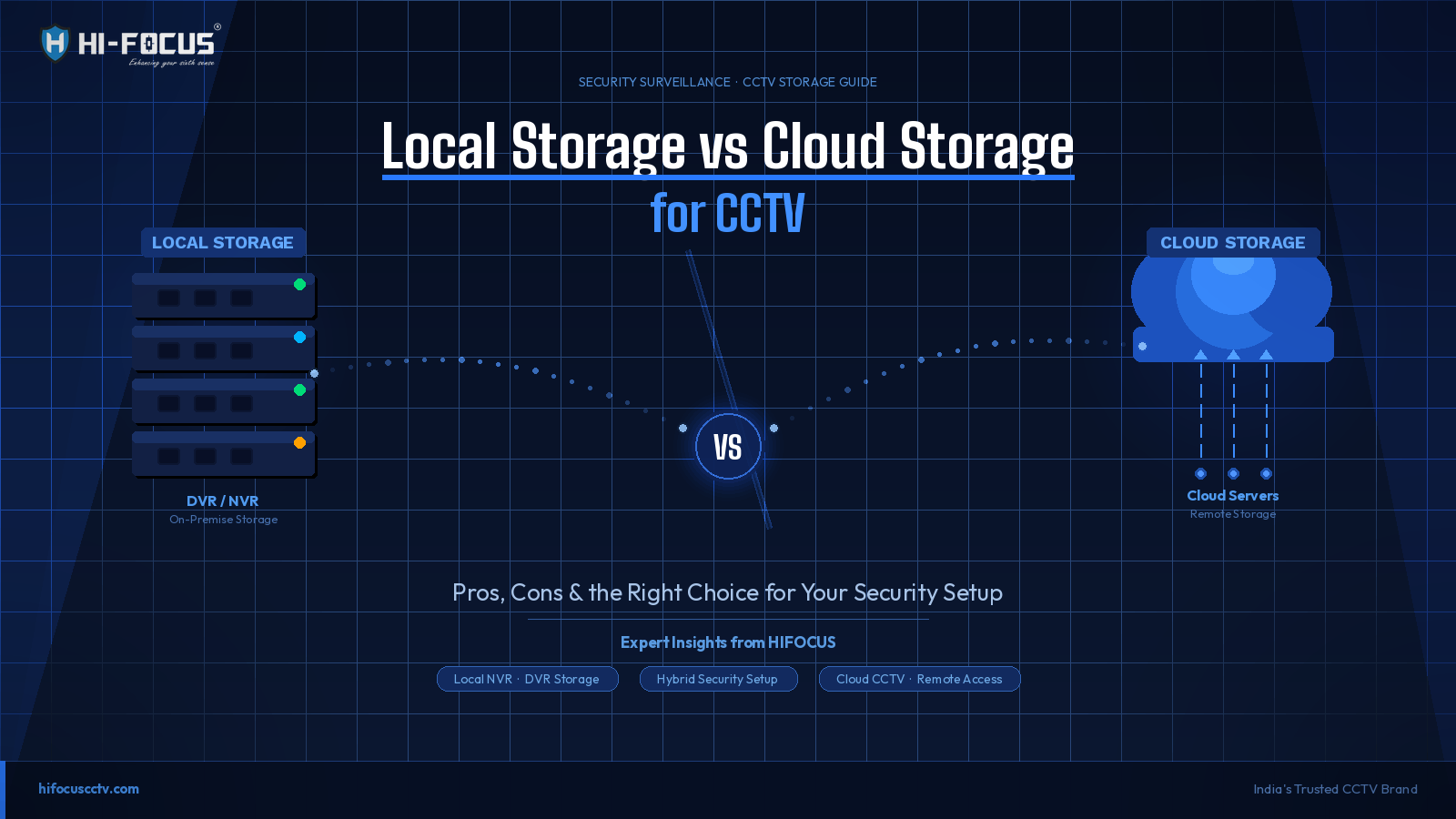
Local storage means your surveillance footage is saved directly on a physical device installed at your premises. This is typically a DVR (Digital Video Recorder) for analogue cameras or an NVR (Network Video Recorder) for IP-based systems. The footage is stored on hard drives (HDDs) housed within these units.
Some cameras also support micro SD card storage, which acts as an edge-storage device, particularly useful for standalone or remote camera installations.
What Is Cloud Storage in CCTV?
Cloud storage means your video footage is transmitted over the internet and stored on remote servers managed by a cloud service provider. Rather than relying on a physical device at your location, the footage is accessible from any device with an internet connection.
Modern IP cameras and WiFi smart cameras often come with built-in cloud storage support. Some manufacturers offer their own cloud platforms, while others integrate with third-party services.
Quick Comparison: Local Storage vs Cloud Storage
Factor | Local Storage | Cloud Storage |
Upfront Cost | Higher (DVR/NVR + HDD) | Lower (subscription-based) |
Ongoing Cost | Minimal (maintenance only) | Monthly/annual fees |
Internet Dependency | None | Required |
Remote Access | Limited (needs port setup) | Built-in, any device |
Scalability | Requires hardware upgrade | Easily scalable |
Data Security | On-premise, physical risk | Encrypted, geo-redundant |
Storage Capacity | Fixed (HDD size) | Virtually unlimited |
Best For | Factories, warehouses, banks | Retail chains, WFH, multi-sites |
Local Storage: Pros and Cons
Advantages of Local Storage
No internet dependency: Footage is recorded and accessible even during outages
One-time cost: After hardware investment, there are no recurring storage fees
Full data control: Your footage stays on your premises, with no third-party server involvement
Higher resolution storage: You can store high-bitrate 4K footage without bandwidth concerns
Faster playback: Reviewing footage locally is instant, with no buffering or latency
Disadvantages of Local Storage
Physical vulnerability: HDDs and DVRs can be stolen, damaged by fire, or fail without warning
Limited remote access: Accessing footage remotely requires additional network configuration
Maintenance overhead: Hard drives have a lifespan and need periodic replacement
Scalability limits: Adding storage means buying more hardware
Cloud Storage: Pros and Cons
Advantages of Cloud Storage
Remote access anywhere: View live feeds and recordings on your phone from any location
Tamper-proof evidence: Footage is off-site, so it cannot be stolen or destroyed at the scene
Easy scalability: Add more cameras or extend storage capacity without hardware purchases
Automatic backups: No risk of losing data due to device failure
Centralized management: Ideal for multi-location businesses monitoring multiple branches
Disadvantages of Cloud Storage
Internet-dependent: Unstable or slow internet degrades recording quality or causes gaps
Recurring costs: Monthly subscription fees add up over time, especially for large deployments
Data privacy concerns: Footage is stored on external servers vendor selection matters
Upload bandwidth requirements: High-resolution footage requires consistent upload speeds
Which Storage Option Is Right for You? Real-World Use Cases
When Local Storage Makes More Sense
Manufacturing plants and warehouses: These environments typically have large camera counts, high-resolution requirements, and limited dependence on internet connectivity. Local NVR systems with high-capacity RAID storage are cost-effective and reliable.
Banks and financial institutions: Regulatory requirements often mandate on-premises footage retention. Local storage with encrypted HDDs and redundant power backup is the standard approach.
Schools and institutional campuses: With a fixed campus perimeter and a dedicated IT team, local storage offers complete control without recurring costs.
When Cloud Storage Makes More Sense
Retail chains with multiple outlets: A central team can monitor all stores from a single dashboard. Cloud eliminates the need to dispatch staff to retrieve footage from each location.
Home users and small offices: WiFi-based smart cameras with cloud storage are plug-and-play, require no technical setup, and offer instant mobile access.
Businesses with remote or unmanned sites: Fuel stations, telecom towers, and ATM cabinets benefit greatly from cloud-connected cameras where no on-site personnel are present.
Choosing Storage in the Indian Context
In India, internet infrastructure has improved significantly but inconsistency remains a reality in Tier-2 and Tier-3 cities, industrial zones, and rural areas. This makes local storage the more dependable primary option for many deployments, with cloud as a supplementary layer.
Power outages are another factor. A cloud-only setup without a UPS or backup power can result in footage gaps during a critical incident. A well-configured local NVR with a UPS can continue recording through power disruptions without any gap.
For system integrators working on projects across multiple client sites, the storage recommendation should always be based on the client's internet reliability, camera count, resolution needs, and budget cycle not a one-size-fits-all approach.
Frequently Asked Questions
Is cloud storage safe for CCTV footage?
Yes, reputable cloud platforms use end-to-end encryption and geo-redundant servers. However, your choice of vendor matters. Always review data storage policies, server locations, and access controls before subscribing.
Can I use both local and cloud storage together?
Absolutely. Many modern IP cameras and NVR systems support simultaneous local and cloud recording. This hybrid approach is increasingly common in business security setups across India.
How much internet speed do I need for cloud CCTV storage?
A general benchmark: a 1080p camera requires approximately 1–2 Mbps of consistent upload bandwidth. For a 4-camera cloud setup, you would need at least 6–8 Mbps of dedicated upload speed. Higher-resolution cameras require proportionally more.
How long is CCTV footage typically stored?
For local storage, retention depends on HDD capacity and camera count, typically 7 to 30 days for standard deployments. Cloud storage plans vary by provider, typically offering 7, 15, or 30-day rolling retention. Longer retention periods are available at higher subscription tiers.
Is local storage cheaper than cloud storage in the long run?
Local storage has a higher upfront hardware cost but lower ongoing expenses. Cloud storage has minimal setup costs but accumulates subscription fees over time. For large, multi-camera deployments over 3+ years, local storage is often more cost-effective. For smaller setups with 1–4 cameras, cloud can be comparable or cheaper when factoring in hardware replacement costs.
About HIFOCUS
HIFOCUS is one of India's established CCTV brands, offering a comprehensive range of surveillance products, including HD cameras, PTZ cameras, and smart WiFi-enabled cameras designed for homes, businesses, and institutions.
Whether your project requires a local NVR-based setup for a large campus or a cloud-connected smart camera for a retail outlet, HIFOCUS offers products built for Indian conditions with distribution and support networks across the country.
Explore our complete CCTV camera range or browse specific product categories below:
HD CCTV Cameras, reliable local storage-compatible cameras for high-resolution surveillance
Network PTZ Cameras smart pan-tilt-zoom cameras ideal for large-area monitoring with cloud integration
WiFi Smart Cameras plug-and-play cameras supporting both local SD card and cloud storage
Need a tailored solution? Visit ourCCTV solutions for businesses page to explore project-based offerings or request a consultation with our team.