

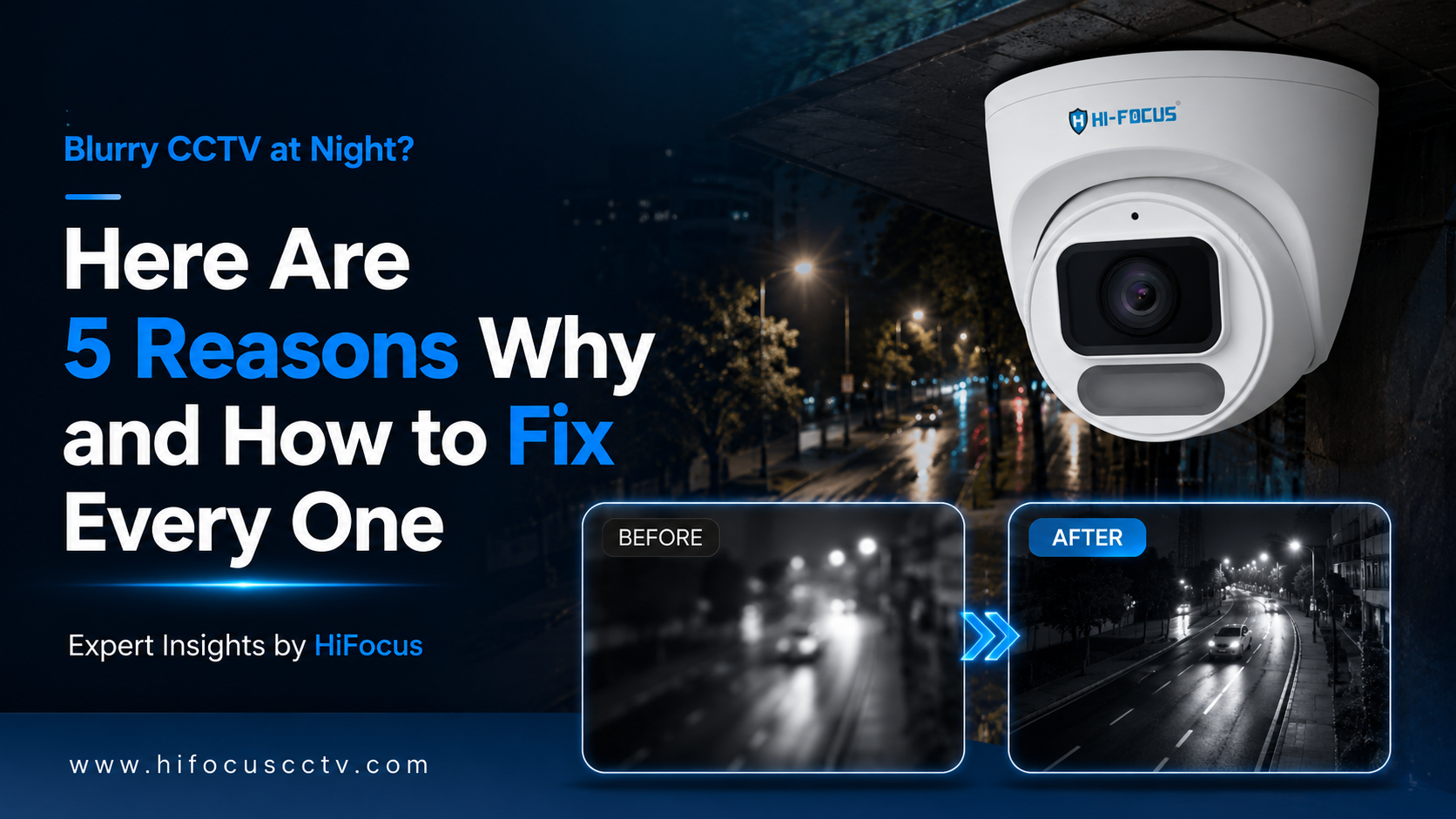
You check the CCTV recording after a suspicious incident at night, and all you see is a grainy, washed-out image with orange blobs where faces should be. The camera worked perfectly during the day. At night, it became almost useless.
This is one of the most common complaints from CCTV users across India, and it happens in homes, offices, warehouses, hospitals, and retail stores alike. The problem is not always a faulty camera. Most of the time, it comes down to a handful of fixable issues that most people are not aware of.
In this guide by HiFocus, we break down the five real reasons why CCTV footage turns blurry at night and give you clear, practical steps to fix each one. Whether you are managing a small shop or a large multi-floor facility, this will help you achieve the night-vision quality your security system was supposed to deliver.
Why Night Vision is Technically Harder Than It Looks
During the day, cameras have a lot of light to work with. The sensor captures plenty of photons, the image processor has a strong signal to work with, and the result is sharp, detailed footage. At night, the opposite is true.
Most standard CCTV cameras compensate for low light by doing one or more of the following:
Switching to infrared (IR) night mode, which produces black and white footage
Increasing sensor gain (digital amplification), which introduces noise and grain
Widening the aperture to let in more light can affect focus depth
Slowing down the shutter speed, which causes motion blur
Now, let us look at the five specific causes and what you can do about each.
Top 5 Reasons Your CCTV Footage is Blurry at Night and How to Fix Them
Tip 1: Dirty or Damaged Camera Lens
Outdoor cameras accumulate dust, insect residue, and moisture over time. Indoor cameras in factories or kitchens collect grease and particles. Even a thin film of grime on the dome cover scatters the IR light emitted by the camera's own LEDs, creating a white glare that washes out the image.
How to fix it:
Clean the lens and dome cover with a microfiber cloth every one to three months
For outdoor cameras, check after heavy rain or dust storms
If the dome cover is scratched or yellowed with age, replace it. Most manufacturers sell replacement covers as accessories
Quick check: Hold your phone flashlight at an angle near the dome. If you see a foggy reflection, the cover needs cleaning.
Tip 2: Incorrect IR Range for the Area Being Monitored
Many installations use a single camera specification across all locations without considering the actual distances involved. A parking lot camera rated for 20 metres will not give useful footage at 40 metres. A corridor camera with a strong 50-metre IR range may overexpose a person standing just 3 metres away.
How to fix it:
Measure the actual distance from the camera to the furthest point you need to monitor
Match the camera's rated IR range to that distance, with a small buffer
For close-range indoor use, consider cameras with warm white LED illumination instead of IR, which produce full-colour night footage at shorter ranges
Pro tip: Cameras with white light illumination like the HiFocus Dark Hunter series produce full-colour footage at night rather than black and white, which makes identification far more reliable at shorter ranges.
Tip 3: Low Sensor Quality and Small Aperture Size
The camera sensor is the core component that determines how well it performs in low light. Two key specifications matter here: sensor size and aperture.
A larger sensor captures more light per frame. A wider aperture (expressed as a lower f-number, such as F1.0 or F1.4) lets in significantly more light than a narrow aperture like F2.0 or F2.8. Most budget cameras use small sensors and narrow apertures to keep costs low, which is fine for daytime use but causes serious quality issues at night.
This is the hardware limitation that no firmware update can fully solve. If the sensor and lens are not built for low light, the results will always be substandard after dark.
How to fix it:
When selecting cameras for low-light environments, always check the sensor size (1/1.8" or larger is recommended for night use) and aperture rating
Prioritize cameras with F1.0 aperture lenses if consistent night clarity is critical
For high-value areas like parking lots, building perimeters, and entry points, upgrade to purpose-built low-light cameras rather than relying on general-purpose models
Tip 4: Incorrect Camera Settings and Video Compression Configuration
Even a good camera can produce blurry night footage if its settings are not configured correctly. The three settings that most commonly cause night-time blur are shutter speed, gain control, and video bitrate.
Shutter Speed
A slow shutter speed lets in more light at night but creates motion blur on anything that moves. If a person walks through the frame, they leave a ghost trail. For security purposes, this makes identification difficult. The recommended shutter speed for outdoor night surveillance is between 1/25 and 1/50 seconds. Slower than that and moving subjects become blurred.
Gain Control
Gain amplifies the signal from the sensor to brighten a dark image. But high gain also amplifies noise, which shows up as grain or static across the image. Most cameras have automatic gain control (AGC). Setting it too high produces a brighter but noisier image. The right balance depends on the environment.
Video Bitrate and Compression
Low bitrate settings heavily compress the video stream to save storage. At night, when image noise is higher, compression artefacts become much more visible. A bitrate that looks acceptable during daylight may produce blocky, unreadable footage at night.
How to fix it:
Access your camera's configuration interface and review shutter speed, AGC, and bitrate settings
Set minimum bitrate at 2 Mbps for 2MP cameras and 4 Mbps or higher for 4MP and 5MP cameras
Enable Smart 265 or H.265 compression if your camera supports it. These codecs maintain quality at lower bitrates compared to H.264
If your NVR or DVR allows it, set night-mode recording at a higher bitrate than daytime recording
Tip 5: Poor Ambient Lighting Near the Camera
IR cameras do not rely on visible light, but that does not mean surrounding light conditions are irrelevant. Mixed lighting situations, where IR from the camera competes with partial ambient light from streetlamps or signage, often produce uneven exposure across the frame. Some areas get overexposed while others remain dark.
How to fix it:
For cameras near strong light sources, enable Wide Dynamic Range (WDR) in the camera settings.
Where full-colour night footage is needed (parking, entry gates, retail exteriors), add a white LED or warm light source in the camera's field of view rather than relying solely on IR
Reposition cameras that are pointing directly toward light sources.
For very dark areas with no ambient light, choose cameras with built-in white light illumination that activate automatically at night
When Fixes Are Not Enough: The Case for Purpose-Built Night Vision Cameras
If you have gone through the checks above and your cameras are still producing poor footage at night, the honest answer is that the cameras were not designed for the level of performance you need. This is especially true for installations where night-time identification of people or vehicles is a security requirement, not just a nice-to-have.
The right response is not to keep adjusting a camera that was never built for low-light performance. It is to use a camera that was.
HiFocus developed the Dark Hunter camera series specifically for this problem. These cameras are built around a large 1/1.8" CMOS sensor, an F1.0 large aperture lens, and integrated warm white LED illumination that produces full-colour footage at night rather than the standard black-and-white IR output.
The result is that faces, clothing colours, and vehicle details that would be lost in a grainy black-and-white IR image remain clearly visible in a full-colour image.
HiFocus Dark Hunter Camera Range
4MP Dome Dark Hunter Network Camera
Model: HC-IPC-DQA4314L-TWL-0280
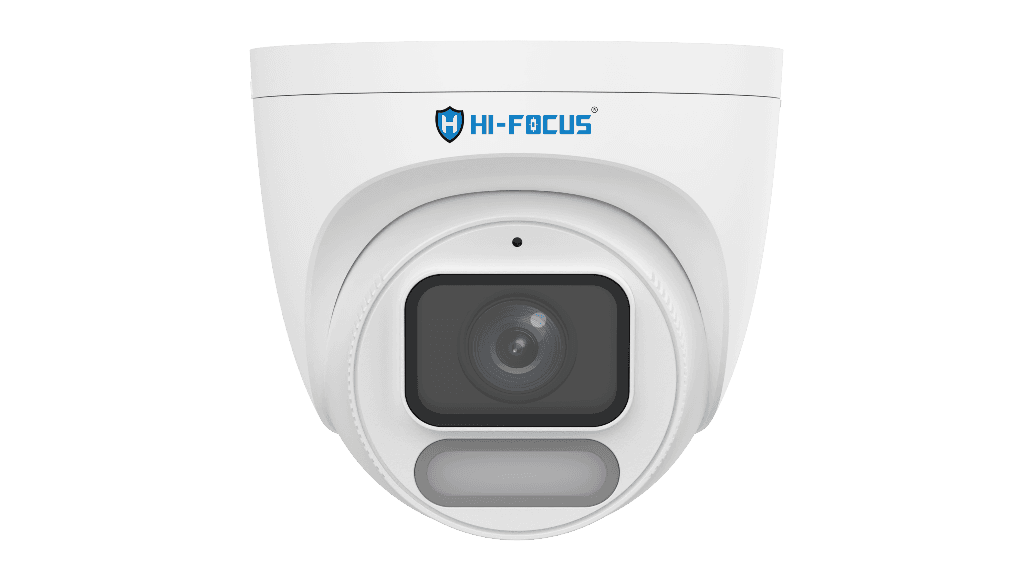
• 1/1.8" CMOS sensor with F1.0 large aperture lens
• Full-colour night vision with warm white LED illumination up to 30 metres
• 120dB WDR for mixed-light environments
• 4MP resolution with Smart 265 / H.265 / H.264 compression
• Corridor mode (9:16) for hallways and doorways
• IP67 weatherproof, PoE support, 512GB SD card slot
• Best for: Corridors, reception areas, pharmacies, indoor retail
4MP Bullet Dark Hunter Network Camera
Model: HC-IPC-TQA4314L-TWL-0400
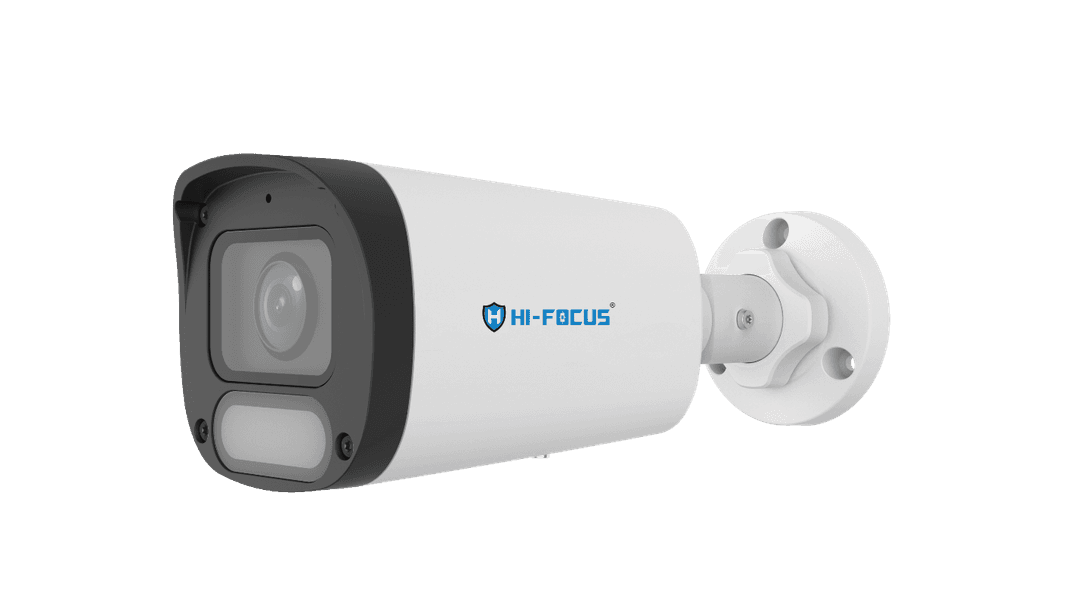
• 1/1.8" CMOS sensor with F1.0 large aperture lens
• Full-colour 24/7 surveillance with white LED illumination
• 4MP resolution with 120dB WDR
• Smart 265 / H.265 / H.264 / MJPEG support
• IP67 weatherproof for outdoor installations
• PoE support for simplified installation
• Best for: Parking lots, building perimeters, entry gates, outdoor retail
2MP Dark Hunter Bullet Camera
Model: HC-LPC-TQA4312L-TWL-0400
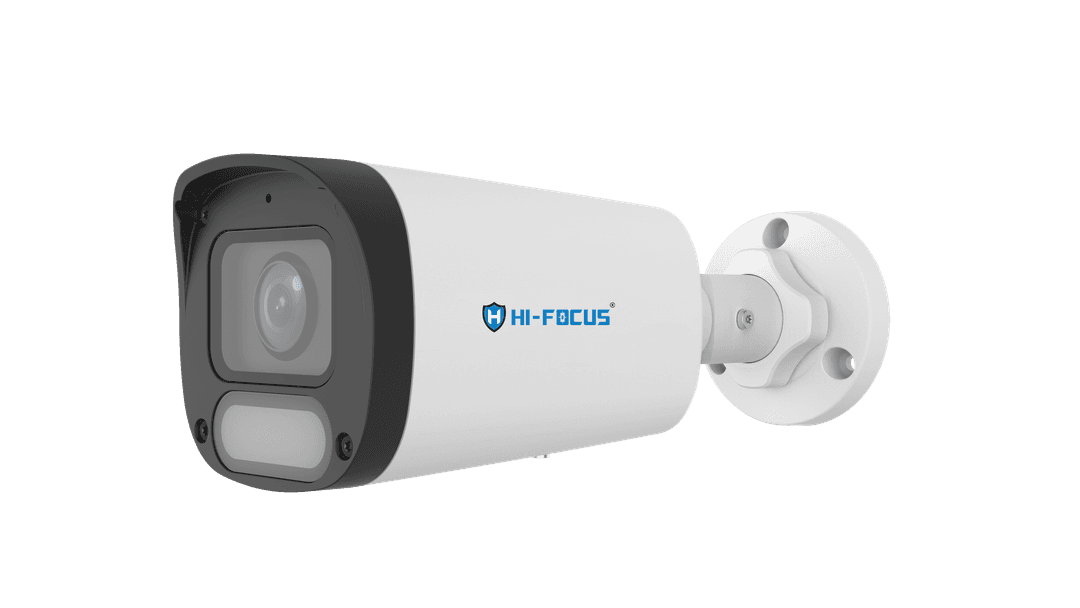
• Full HD 2MP (1920x1080) resolution
• Dark Hunter full-colour night vision with 30-metre warm white LED
• 120dB WDR for challenging lighting conditions
• Smart 265 / H.265 / H.264 / MJPEG compression
• Built-in microphone for audio capture
• IP67 weatherproof, PoE support, 512GB SD card
• Best for: Small offices, shops, residential gates, budget-conscious deployments needing colour night vision
View Product: https://hifocuscctv.com/categories/ip-cameras/2mp-dark-hunter-bullet-camera-hc-lpc-tqa4312l-twl-0400
HiFocus IP cameras are now STQC certified, which means they meet standardised quality benchmarks for image performance and reliability set by the Government of India's testing body. STQC (Standardisation Testing and Quality Certification) certification is a meaningful quality indicator when evaluating cameras for critical installations.
Quick Recap: Night Vision Fixes at a Glance
Problem | Fix | Effort Level |
Dirty lens or dome | Clean with microfiber cloth, replace dome if scratched | Low |
Wrong IR range | Match camera IR rating to actual monitoring distance | Low to Medium |
Poor sensor and aperture | Upgrade to large-sensor, wide-aperture camera (e.g. F1.0) | Medium |
Wrong settings | Adjust shutter speed, AGC, and increase bitrate for night | Low |
Mixed or poor lighting | Enable WDR, add supplemental lighting, reposition camera | Low to Medium |
Still Struggling With Night Vision Quality? Let's Help You Choose Right
Blurry CCTV footage at night is a fixable problem. Sometimes the fix is as simple as cleaning a lens. Sometimes it requires upgrading to cameras that are genuinely built for low-light performance.
HiFocus is one of India's leading Indian CCTV Brands with a product range that includes HD cameras, IP cameras, NVRs, PoE switches, and accessories. Our cameras are STQC certified, designed for Indian conditions, and backed by a support network across the country.
If you are evaluating cameras for a new installation or looking to replace underperforming units, explore the full HiFocus IP camera range or speak directly with our team to get a recommendation suited to your site and budget.
Contact HiFocus for a free camera consultation and we will help you identify the right solution for your night vision challenge.
Frequently Asked Questions
Why is my CCTV camera blurry only at night?
Night-time blur in CCTV cameras is usually caused by one or more of these factors: a dirty or fogged camera dome, an IR range that does not match the monitoring distance, low-quality sensor and lens hardware, incorrect gain or shutter speed settings, or challenging mixed-light conditions.
Can I improve my existing CCTV camera's night vision without replacing it?
Yes, in many cases. Start by cleaning the lens and dome cover, then check and adjust the camera's gain, shutter speed, and bitrate settings through its configuration interface. If the camera has WDR, enable it. These changes can meaningfully improve quality.
What is the difference between IR night vision and full-colour night vision?
Standard IR cameras switch to infrared LEDs at night, which produce black-and-white footage. Full-colour night vision cameras, like the HiFocus Dark Hunter range, use warm white LED illuminators to capture colour footage even in darkness.
What does STQC certified mean for CCTV cameras?
STQC stands for Standardisation Testing and Quality Certification, a government body under India's Ministry of Electronics and Information Technology. STQC certification means the product has been independently tested against defined quality and performance benchmarks.
What aperture size is best for night vision CCTV cameras?
A lower f-number means a wider aperture and more light entering the sensor. For night surveillance, F1.0 is the best widely available aperture size, as it allows significantly more light than F1.6 or F2.0 lenses.
How far can dark hunter cameras see at night?
The HiFocus Dark Hunter cameras have integrated warm white LED illumination with a range of up to 30 metres (approximately 98 feet). For areas beyond 30 metres, additional supplemental lighting or cameras with extended IR range would be more appropriate.