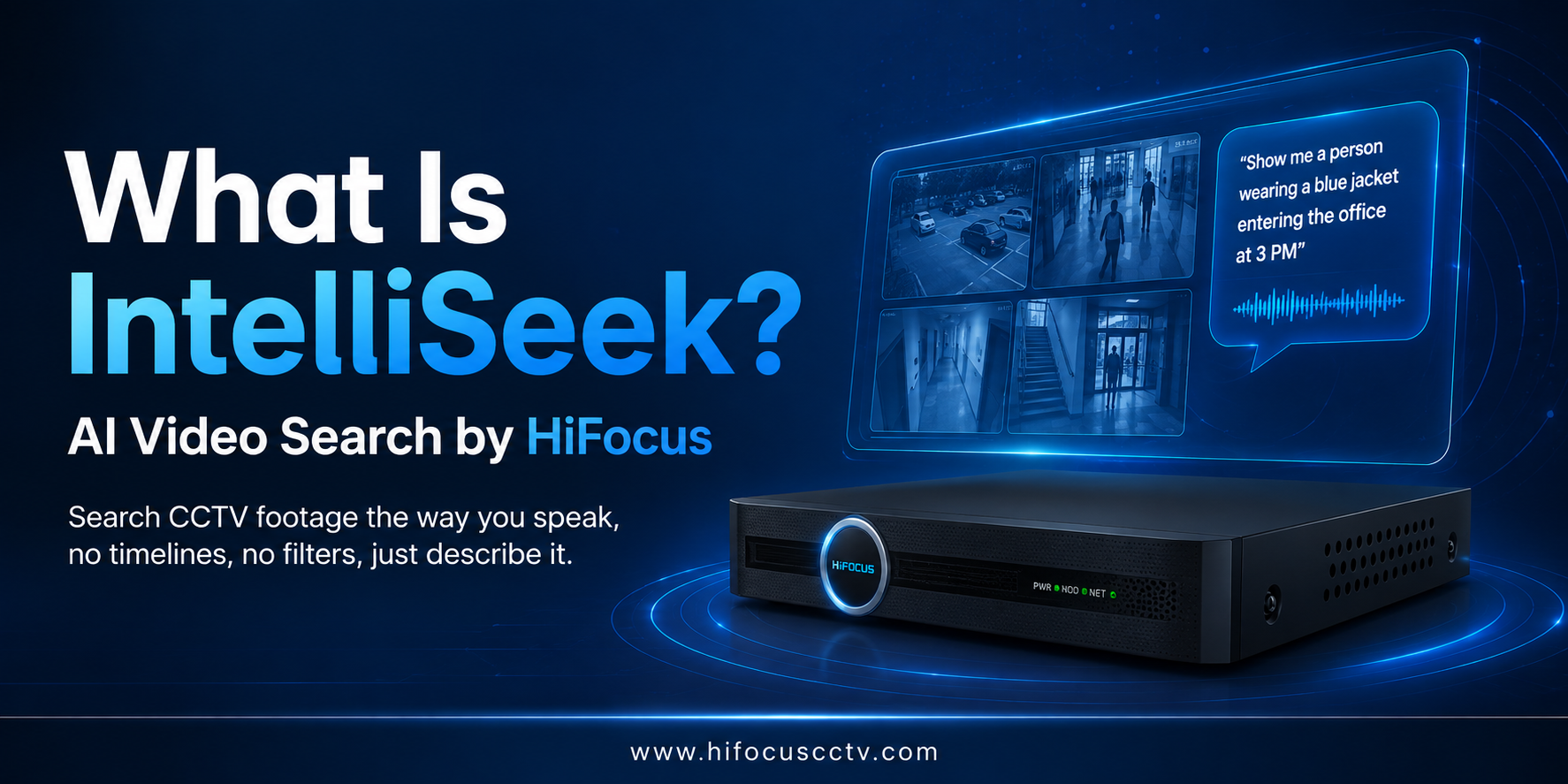
Finding one person in hours of CCTV footage used to mean sitting through timeline after timeline, camera after camera. HiFocus built IntelliSeek to remove that problem entirely, you simply describe who or what you're looking for, in plain words, and the system finds it. IntelliSeek is not a separate gadget or app; it's the type-to-search technology in NVR that runs directly inside HiFocus AI NVR systems, starting with the flagship HD-NVR-7240ILM. This guide explains what IntelliSeek is, how it works, how it fits into the HiFocus AI NVR range, and why it marks a real shift in how security teams across India search recorded video.
Key Takeaways
IntelliSeek is HiFocus's AI-powered video search technology that lets you find people, vehicles, and objects in CCTV footage by typing a plain-language description.
It is the type-to-search technology in NVR form; you type a sentence instead of clicking through filters or timelines.
It runs as on-device AI NVR search: the entire AI engine works inside the NVR, with no cloud dependency and no internet requirement.
It can search footage recorded before IntelliSeek was even configured, because analysis happens at search time, not recording time.
IntelliSeek represents the 5th generation in HiFocus's video search evolution, replacing manual playback, event alarms, metadata filters, and image-matching with true natural language search.
It runs on the HiFocus AI search NVR line, led by the HD-NVR-7240ILM, with full 40-channel search available on HiFocus AI cameras and up to 8 channels on third-party ONVIF/RTSP cameras.
As type-to-search technology adoption in India grows, HiFocus positions IntelliSeek as a genuine type-to-search NVR feature, built into the hardware, not a bolt-on app.
What Is IntelliSeek, in One Answer?

IntelliSeek is an AI video search feature built into the HiFocus AI NVR that lets an operator type a natural-language description — such as "person wearing a yellow safety jacket carrying a red backpack", and instantly retrieve matching video clips from any connected camera, any time range, ranked by a confidence score. It works entirely on-device, requires no reference photo or pre-set rule, and can search footage recorded at any point in the past. In simple terms, it's what people are starting to call type to search NVR technology: instead of learning a filter system, you talk to your NVR the way you'd describe a person to a colleague.
What Is Type-to-Search Technology in NVR?
If you're new to this category, here's the simplest way to understand it: type-to-search technology in NVR is any recording system that lets you find footage by typing a description in normal language, rather than selecting from menus or watching hours of playback. Instead of an operator needing to know a suspect's exact clothing colour code or search through a dropdown of "vehicle type," they simply type what they remember, "black SUV near the gate around 6 PM", and the NVR's built-in AI does the rest.
This is different from the "smart search" or "motion search" features that have existed on NVRs for years. Older systems could tell you when something moved, but they could not understand what moved or what it looked like. Type-to-search technology in NVR products closes that gap by combining two layers of artificial intelligence, one that understands human language, and one that understands the visual content of video — inside a single device.
Why does this matter specifically for India?
Most CCTV deployments here- retail chains, warehouses, factories, residential societies, and government buildings- run on a limited number of trained operators who don't have time to review footage manually for every incident. Type-to-search technology India adoption is growing precisely because it lets a single security guard or site manager do in seconds what used to require a dedicated investigation team.
HiFocus built IntelliSeek as its answer to this shift, and it's why the feature lives inside the NVR itself rather than as a separate cloud add-on. HiFocus builds every AI search NVR with this in mind, positioning type-to-search technology in India as a practical upgrade path rather than a full system replacement.
Why Traditional CCTV Search Doesn't Scale
Picture 40 cameras, each recording eight hours a day. That's 320 hours of footage to review manually if something goes wrong. Traditional NVRs force you to scrub timelines by channel and timestamp, hoping you don't miss the one clip that matters. Even "smart" systems only help if you set the right alarm rule in advance; a rule you didn't configure catches nothing. This is exactly the gap that pushed HiFocus to build a genuine AI search NVR rather than bolting search filters onto an old playback interface.
This is also why more Indian security teams are moving toward a type-to-search NVR instead of retrofitting old systems with extra software. IntelliSeek was built specifically to close this gap.
How Does IntelliSeek Work?
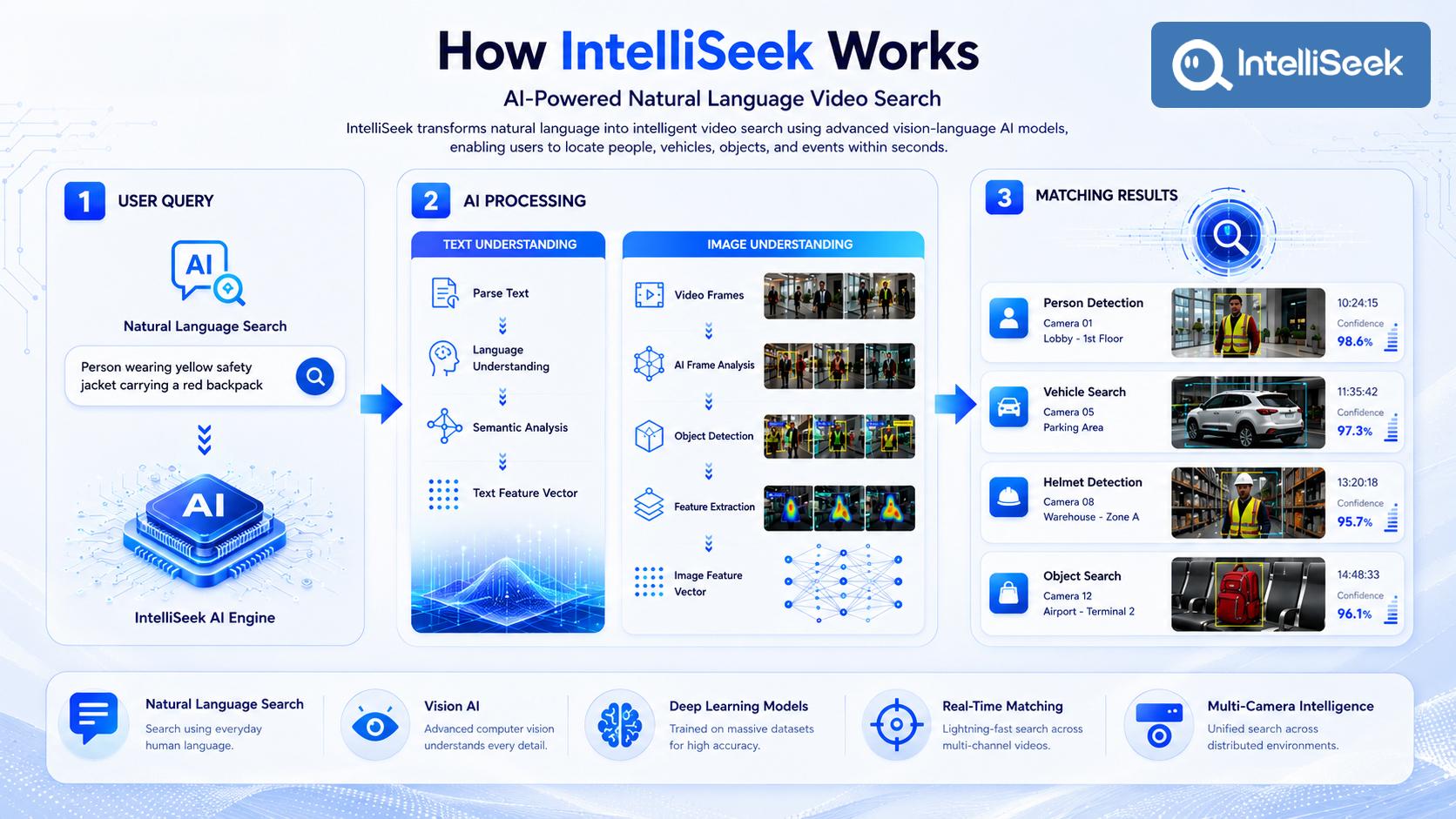
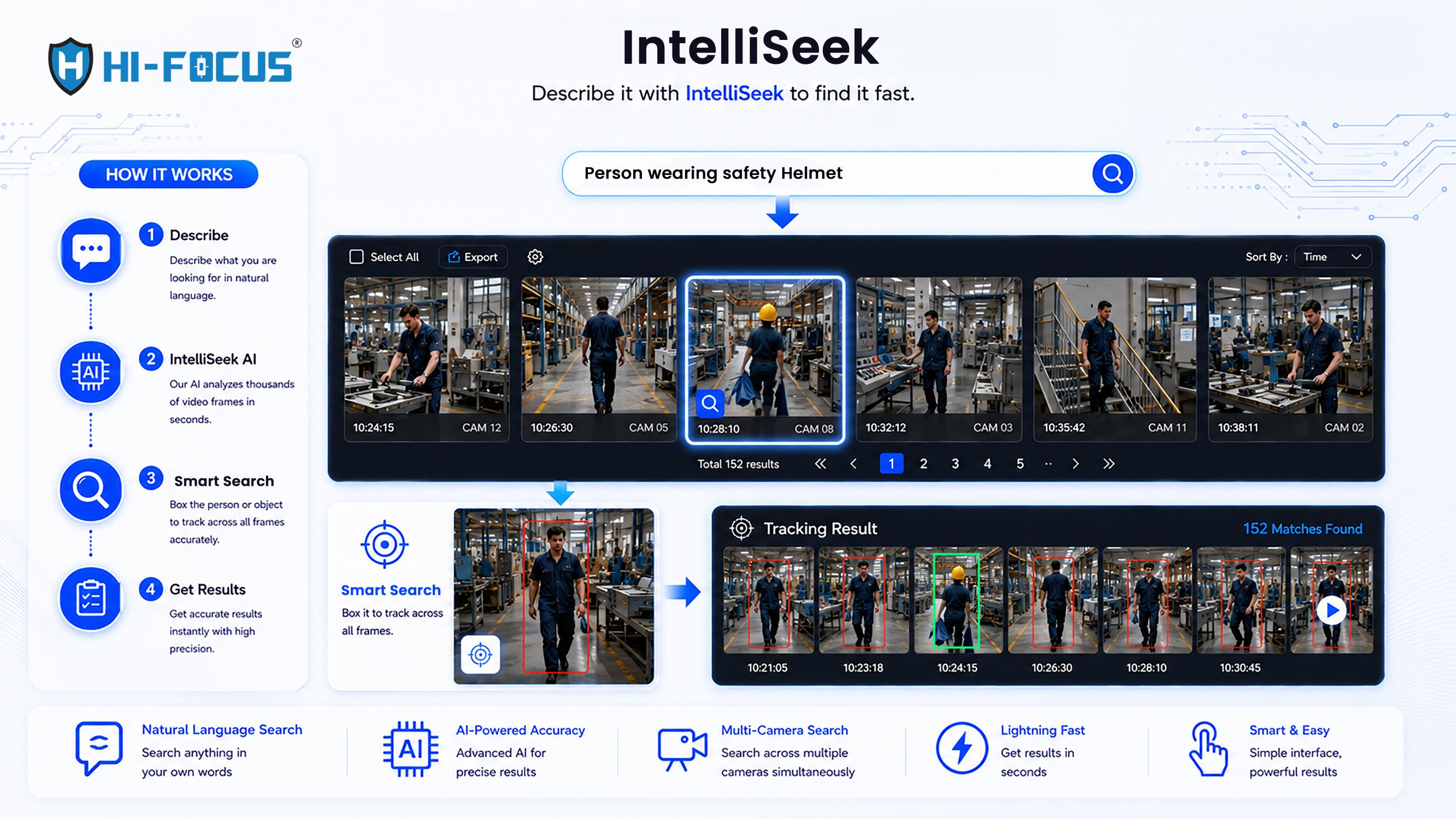
IntelliSeek processes every query in three stages, combining natural language understanding with computer vision, all inside the AI NVR itself.
Stage 1: You Type What You're Looking For
The operator enters a description in plain language, no fixed categories, no dropdown menus. Examples include "person wearing a helmet riding a motorcycle," "black SUV car," or "person holding a blue basket." This is the type-to-search NVR step, the only input the system needs is a sentence.
Stage 2: The AI Reads Both the Text and the Footage
On one side, the engine analyses your sentence, parsing it, understanding its meaning, and converting it into a mathematical representation of what you're describing. On the other side, it processes recorded video frames through object detection and feature extraction, converting each frame into its own visual representation. The system then compares the two, scoring how closely each frame matches your description.
Stage 3: You Get Ranked, Timestamped Results
Matching frames appear as thumbnails with a camera ID, timestamp, and confidence score, sortable by similarity or time. In HiFocus's own demonstrations, a query like "person who wears glasses" returned 246 matched results across a full day of multi-channel footage, each scored at 90% confidence or higher. Results can be exported as images or video clips for evidence.
The 5 Generations of Video Search
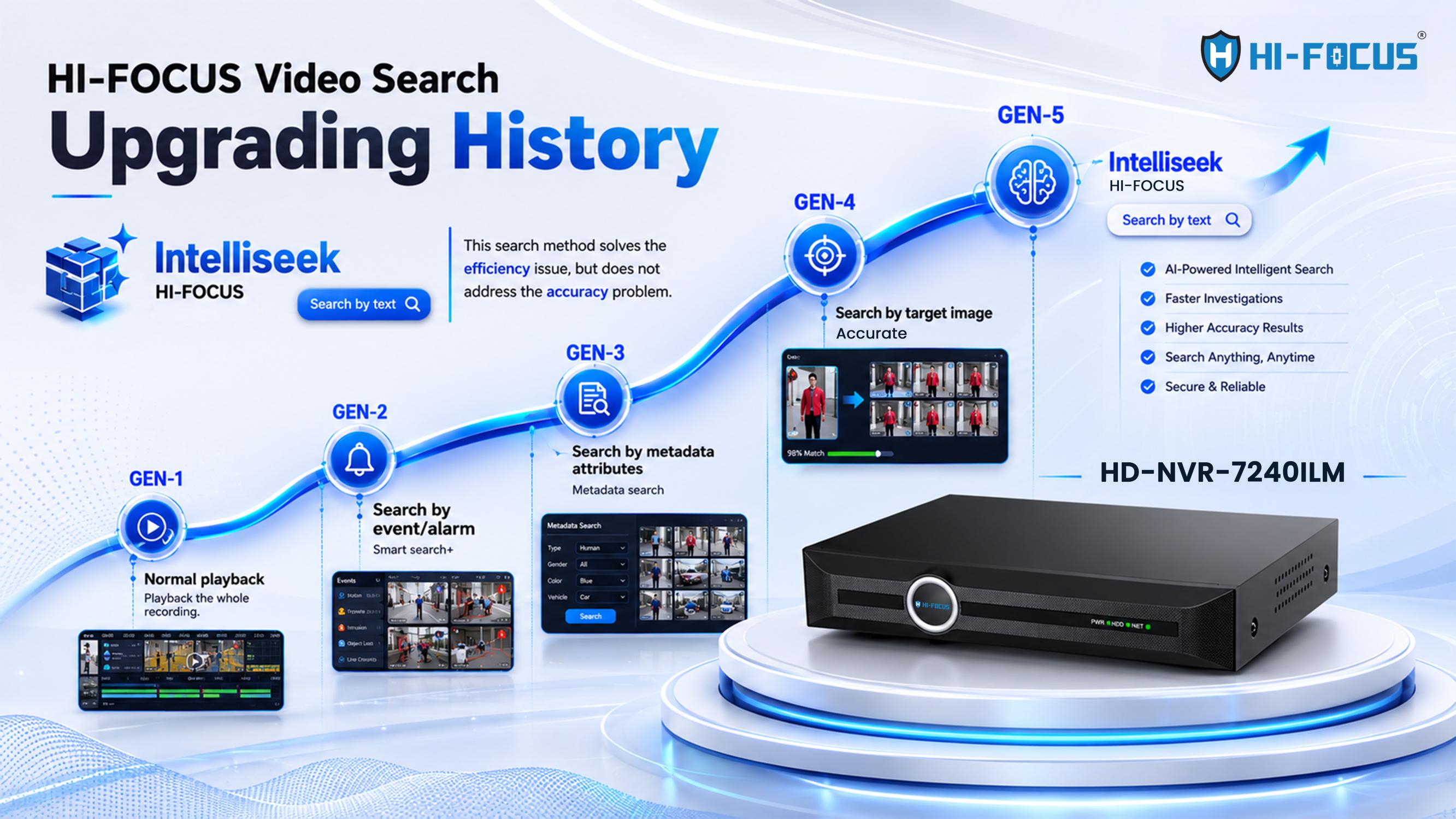
IntelliSeek is best understood as the latest step in a longer evolution of how CCTV footage has been searched:
Generation | Method | Main Limitation |
Gen 1 | Manual playback | Impractical beyond a single camera, short clips |
Gen 2 | Event/alarm-based search | Only catches what was configured in advance |
Gen 3 | Metadata attribute filters | Requires knowing exact attribute values upfront |
Gen 4 | Search by reference image | Needs a photo of the subject to begin |
Gen 5 | IntelliSeek - natural language / type-to-search | Describe in words; no photo or rule needed |
Understanding these 5 generations of video search makes it clear why IntelliSeek isn't just an incremental update — it changes what an operator needs to know before they can even start searching. Every generation before Gen 5 required the operator to prepare something in advance: a rule, an attribute list, or a photo. Type-to-search NVR technology removes that requirement completely.
What Can IntelliSeek Search For?
IntelliSeek organises its capability into distinct categories, and each one is available from the same search bar on your HiFocus AI NVR:
AI-Powered Search — any free-form text description, the core of the natural language engine.
Human Search — clothing colour and type, accessories, backpacks, face masks, glasses, and more.
Vehicle Search — vehicle colour, type, plate colour, and brand.
NMV Search — non-motor vehicles like bicycles, motorcycles, and e-bikes.
Object Search — bags, boxes, and other items, useful for lost-property and evidence recovery.
Animal Search — animals captured by connected cameras, relevant for perimeter and agricultural monitoring.
Deep Smart Search — tracks one matched person or object across multiple cameras and time periods after the first match is found.
Smart Event Discovery — built for investigations spanning several locations or a longer timeframe.
Because every one of these runs on the same on-device engine, an operator doesn't need to switch tools or systems, the same AI search NVR interface handles a lost-bag enquiry in a mall and a multi-camera suspect trace in a parking lot. This breadth is a big part of why type-to-search technology adoption in India isn't limited to one industry.
Meet the AI NVR That Powers IntelliSeek: HD-NVR-7240ILM
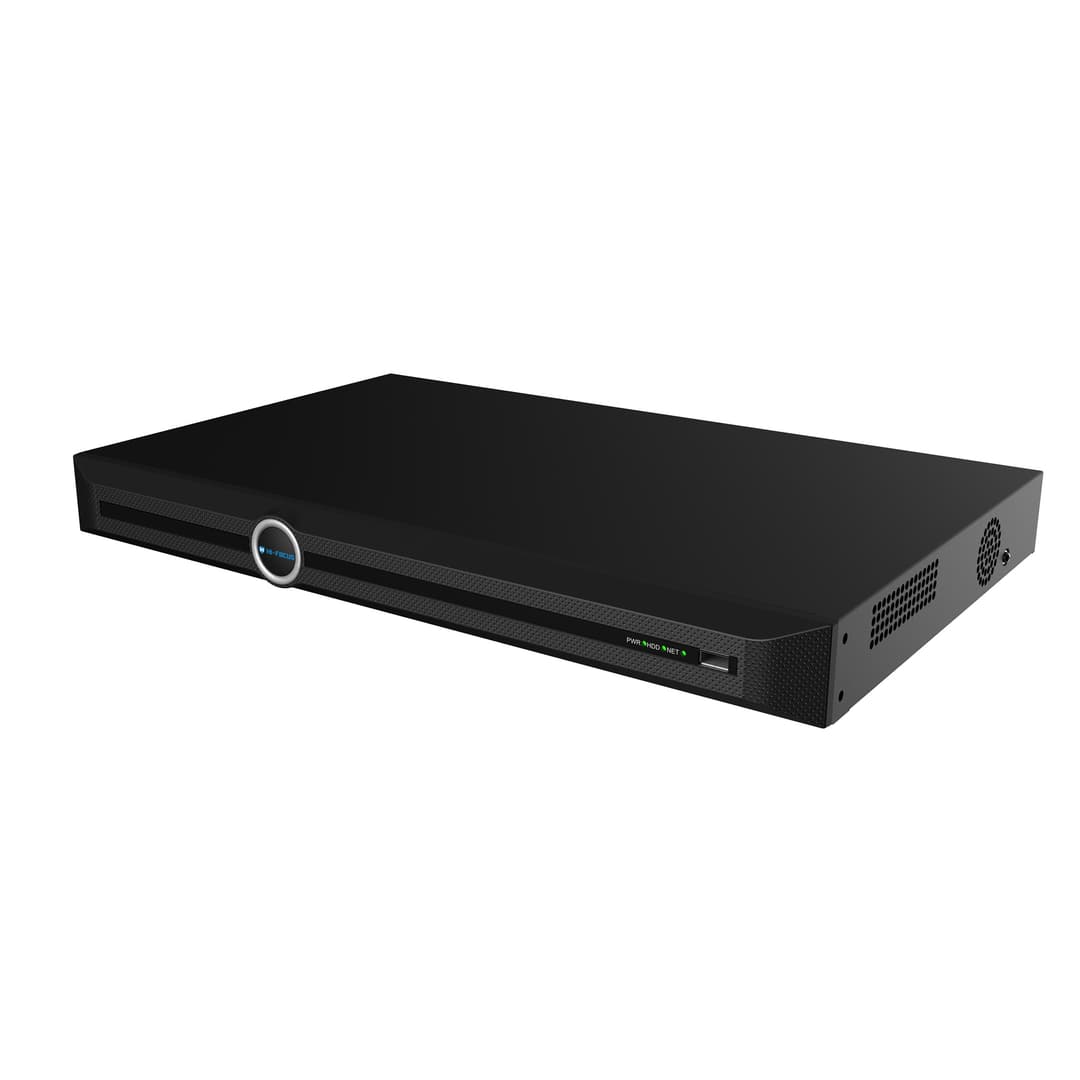
IntelliSeek isn't a cloud subscription or a separate box; it's built into HiFocus's AI NVR hardware, and the flagship model is the HD-NVR-7240ILM. This is the device the training material and product demonstrations are built around, and it's designed specifically to run the IntelliSeek engine locally, without depending on an external server.
In practical terms, this AI NVR is what makes type-to-search technology in NVR form actually usable in a live security setup: it stores the footage, runs the AI models, and returns your search results, all from the same unit sitting in your control room or server rack. When paired with HiFocus AI cameras, the HD-NVR-7240ILM supports IntelliSeek across the full 40 channels; with third-party ONVIF or RTSP cameras, it still supports AI search across up to 8 channels, so existing camera investments aren't wasted.
As a genuine AI search NVR, and not just a regular NVR with an add-on app, the HD-NVR-7240ILM is what makes type-to-search NVR functionality reliable in daily use.
If you're comparing NVR models for a new deployment or planning to upgrade an existing site, it's worth browsing the full HiFocus NVR category to see which models support IntelliSeek and at what channel count, or going straight to the HD-NVR-7240ILM AI NVR product page for full specifications. This is also where type-to-search technology India is headed, from a single flagship model to an entire AI search NVR range built on the same core engine.
On-Device AI NVR Search: Why It Matters
IntelliSeek's biggest architectural decision is that it doesn't rely on the cloud. All processing, from reading your query to scanning footage, happens inside the NVR itself. This has three practical effects:
Speed: No round trip to an external server, so results return in seconds.
Privacy: Faces, vehicle plates, and identifying footage never leave your network, relevant for organisations working under data governance frameworks like India's DPDP Act.
Reliability: The feature keeps working even if your internet connection goes down, since the footage and the AI engine sit on the same device.
Multiple Ways to Access Your AI Search NVR
IntelliSeek isn't locked to one screen, which matters for how type-to-search technology in NVR systems actually gets used day to day. The same on-device engine is reachable through four access points connected to your AI NVR:
Desktop GUI — the full interface for control rooms and security operations centres.
Web Client — browser-based access from any networked device, no software install needed.
Mobile App — remote search access for managers who aren't physically at the site.
CMS Software — centralised management for multi-site deployments across several locations.
Where This Is Used
A retail team can type "person holding a blue basket" to trace a specific shopper across store cameras. A public safety team can search a witness description like "red hoodie, black backpack" across street cameras and get results from multiple camera positions in seconds.
A construction supervisor can search "person not wearing a safety helmet" to run a same-day safety audit across every site camera. A factory safety officer can run the same kind of query, "person driving a forklift without a safety helmet", as a routine daily compliance check. A warehouse team can locate an unauthorised vehicle in a dock area using vehicle search, or trace a specific worker's movement through the facility using human search. In every case, the query takes seconds; acting on the result is the only manual step left.s
Technical Snapshot
Specification | Detail |
Full-channel support | Up to 40 channels with HiFocus AI cameras |
Third-party camera support | Up to 8 channels via ONVIF Profile S/T or RTSP |
Bandwidth (AI active) | 200 Mbps per direction (400 Mbps in standard recording mode) |
Face picture library | Up to 20 libraries, 100,000 images each |
Operating temperature | -10°C to 55°C |
Internet requirement | None — fully on-device |
Flagship AI search NVR model | HD-NVR-7240ILM |
Traditional Attribute Search vs IntelliSeek
Metadata / Attribute Search | IntelliSeek Natural Language Search | |
Input method | Select from dropdown categories | Type a plain-language description |
Prior knowledge needed | Must know exact attribute values | None — describe naturally |
Combines multiple details | Limited, one filter at a time | Yes, in a single query |
Works on old footage | Only if tagged during recording | Yes, analysed at search time |
Runs on | Standard NVR | AI search NVR (on-device engine) |
See IntelliSeek on a HiFocus NVR
IntelliSeek is available on select HiFocus AI-powered NVRs. If you're evaluating an upgrade or want to check which models support full 40-channel search, browse the HiFocus NVR range, check the HD-NVR-7240ILM product page directly, or reach out to our team for a compatibility check based on your existing camera setup.
HiFocus: Built for This
HiFocus is an STQC-certified, Chennai-based CCTV manufacturer serving businesses across India, from retail chains and warehouses to construction sites and public infrastructure. IntelliSeek reflects HiFocus's broader approach to AI-powered surveillance — features that run locally, respect data residency requirements, and are engineered in India for Indian deployment conditions. As type-to-search technology adoption grows across security teams in India, HiFocus's goal is to make sure that technology is available on-device, in an AI NVR you already trust, rather than locked behind a foreign cloud platform. Learn more about the full HiFocus range at hifocuscctv.com.
Conclusion
IntelliSeek changes what's possible with recorded CCTV footage; instead of scrubbing timelines, you describe what you're looking for and get answers in seconds. It's on-device, works retroactively on old footage, and covers people, vehicles, objects, and animals through one natural-language interface, all running on the HiFocus AI NVR rather than a separate cloud service. For teams that review footage regularly, it's a meaningful step up from rule-based or manual search, and a clear example of what type-to-search technology in NVR systems can do when it's built into the hardware from the ground up. As type-to-search technology in India continues to mature, a genuine type to search NVR like the HD-NVR-7240ILM is what turns the idea into something a security team can rely on every day.
Frequently Asked Questions
Q1. What is IntelliSeek?
IntelliSeek is HiFocus's AI-powered video search technology that lets you find people, vehicles, or objects in CCTV footage by typing a natural-language description instead of manually reviewing recordings. It runs on the HiFocus AI NVR, not in the cloud.
Q2. How does IntelliSeek work?
It converts your typed description and the video footage into comparable data, then matches them for similarity. The process runs in three stages: understanding your query, analysing the footage, and returning ranked, timestamped results — all inside the NVR.
Q3. What is type-to-search technology in NVR?
It's a category of NVR features that let you find footage by typing a plain-language description rather than selecting filters or watching playback. IntelliSeek is HiFocus's implementation of this technology, built into the AI search NVR line.
Q4. Does IntelliSeek need an internet connection?
No. IntelliSeek runs entirely inside the NVR's built-in AI processor, so search, processing, and evidence export all work without an internet connection.
Q5. Which HiFocus NVR supports IntelliSeek?
The flagship model is the HD-NVR-7240ILM, a 40-channel AI NVR built specifically to run IntelliSeek on-device. Other models in the HiFocus NVR range may support it depending on hardware — check individual product pages for confirmation.
Q6. Can IntelliSeek search footage recorded before it was set up?
Yes. Because IntelliSeek analyses footage at the moment you search, not at the moment it was recorded, historical recordings already stored on the NVR are searchable too.
Q7. Does IntelliSeek work with cameras from other brands?
Yes, with cameras supporting ONVIF Profile S/T or RTSP, IntelliSeek operates on up to 8 channels. Full 40-channel search requires HiFocus AI cameras that supply detection metadata directly.
Q8. Is IntelliSeek only for large enterprises?
No. While it scales to large multi-camera deployments like warehouses and factories, the same type-to-search NVR capability applies equally to smaller setups like single retail stores, offices, or residential societies.
Q9. Is type-to-search technology India-ready for businesses right now?
Yes. HiFocus's AI search NVR range, including the HD-NVR-7240ILM, is already deployed across Indian retail, warehouse, and industrial sites today, so type-to-search NVR technology is available now rather than as a future upgrade.